I put that system in their pocket
Last time I wrote about the system the practice runs on: the day sheet, the salary calculation, the insurance receipts. It works. The owner uses it every evening.
But there was a hole in it I kept hearing about. Everything lived on a computer in the back room, and the person who actually knows what happened in a session is the masseuse, standing at the front with a customer who wants to pay and leave. So she'd remember it, or write it on paper, and someone would type it in later. Which is exactly the paper and retyping problem I thought I'd solved.
So I built the other half. Same database, same account, but on her phone.
What she sees when she opens it
Two modes, and I spent longer on those two words than on most of the code.
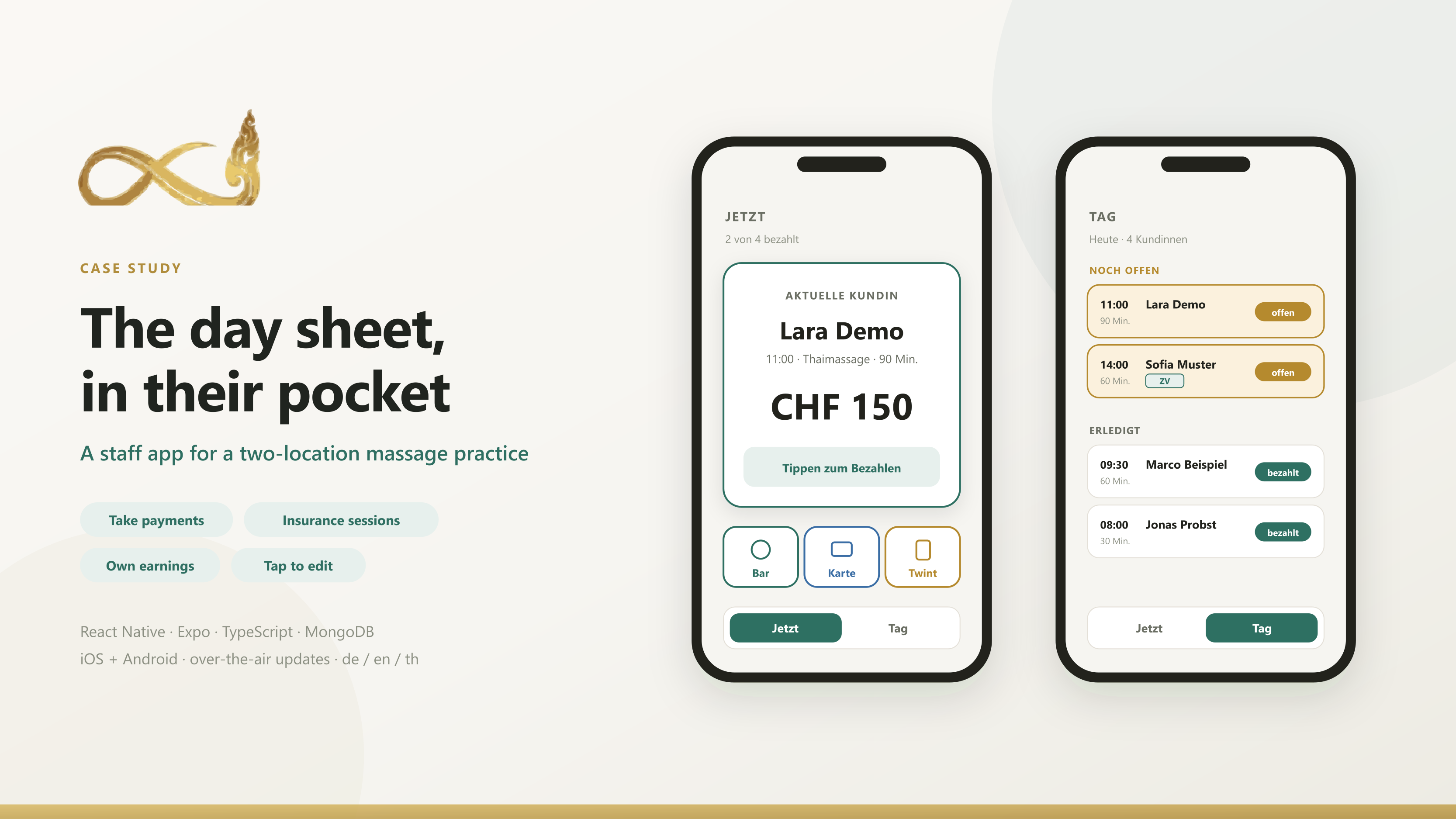
The first one I called Jetzt, which means "now". It gives the entire screen to one person: the customer whose money hasn't been collected yet. Her name, what she had, what it costs. Tapping anywhere on the card opens three thick buttons for cash, card and Twint. The moment one is tapped, the card advances to the next unpaid customer.
That's it. No list to scan, no row to find, nothing small enough to hit by accident while someone is standing in front of you holding a fifty.
The second is Tag, her whole day. Unpaid sessions sit at the top, and paying one drops it into "done" below. So the top of the screen is always the part that still needs her, and the bottom is a record of what she's already finished.
They were originally called Auto and Manual. I renamed them once I realised I'd named the mechanism instead of the job.
The thing I got wrong first
My first version decided a session was finished when its end time had passed. Obvious, clean, and wrong.
Customers arrive early. They finish early. They pay early. And a masseuse who has the money in her hand does not want to be told the session is still running. She wants to put it away and move on. So I inverted it. Payment marks a session open or closed, and the clock is demoted to a hint that says "this one runs until half past."
It's a small change and it's the one I'd defend hardest. The clock is what the schedule believes. The payment is what actually happened.
Signing in without a form
Nobody in the practice was going to fill in a registration form on a phone, and I wasn't going to build a password reset flow, because a public reset endpoint is the single most attackable thing you can add to a small system.
So there isn't one. The owner opens the staff list, taps a phone icon next to a name, and gets a code. The employee types the code, and that is the signup. The server works out her username from the roster and sets no password at all. She's in. Afterwards the app nudges her to set a password, which she'll need only if she ever changes phones.
If she forgets it, the owner issues a new code. That's the reset. It runs through a person who already knows who she is, which is stronger than anything I could have built with an email link.
The bug I'm glad I found early
The practice does two kinds of session: normal ones, and ones covered by insurance. They live in two different tables, for good historical reasons.
Four parts of the app read "her day". Three of them looked in one table. The earnings screen looked in both.
So the app told a masseuse she had earned money from sessions it then refused to show her. And two of those hidden sessions were unpaid. She was the only person in the building who could still collect them, and the screen built to make her collect them was the screen hiding them.
I found it because two rows visible on the office computer weren't on the phone. The fix was boring. Declare the list of tables once, and make every reader go through it. The interesting part is that no test caught it, because every test I'd written agreed with the mistake.
Getting it onto seven phones
This is the part nobody warns you about.
The app is only useful to the employees of one business, which is precisely the kind of app Apple rejects from the public store. A reviewer opens it, hits a login wall for a business they can't access, and that's that. The answer is unlisted distribution. The app exists on the App Store but never appears in search, and only a direct link reaches it. Android skips the store entirely and installs from a signed file.
Review still needs a working login, though, and that login goes to a stranger. I wasn't handing over an account that can see several hundred real customers with their phone numbers. So there's one account flagged as a demo. It's served an invented practice through the real code paths, it can't reach a single real record, and it can't sign in to the office system at all. Same app, same behaviour, nobody's actual data.
The last piece was updates. Almost everything in the app is JavaScript, so fixes now go out over the air. I publish, and the phones pick it up the next time they're opened. No new link, no reinstall, nobody to chase. The first version didn't have that, and I rebuilt it before handing out a single install link, because a text fix that costs six phone calls is a text fix you don't make.
What I learned building it
Name things after the job, not the mechanism. Auto and Manual described how I'd implemented it. Jetzt and Tag describe what she's doing.
The domain expert is the person holding the phone. The early arrival case took me thirty seconds to dismiss and one sentence from the owner to understand.
Tests agree with your assumptions. Mine all passed while the app hid a third of the work. The bug surfaced because a human looked at two screens and noticed they disagreed.
Distribution is part of the build. I'd mentally filed "ship it" as an afternoon. Store rules, review accounts, data exposure and update paths were several days, and most of the decisions were about privacy rather than code.